Company screen system · 2026
Display Control Center
Central control of a company’s screens: an administrator assigns a dashboard to a TV, and a Raspberry Pi in kiosk mode shows it without a restart.
See how it works
Interactive simulation — it starts in your browser (JavaScript required).
Challenge
Publishing an announcement or changing a layout must never mean walking up to the TV.
Solution
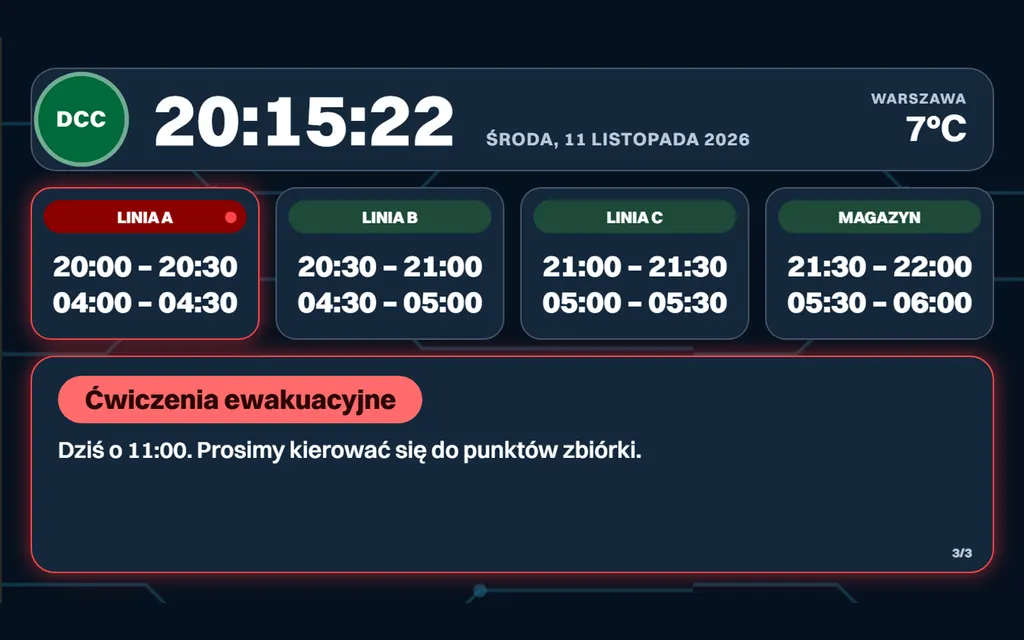
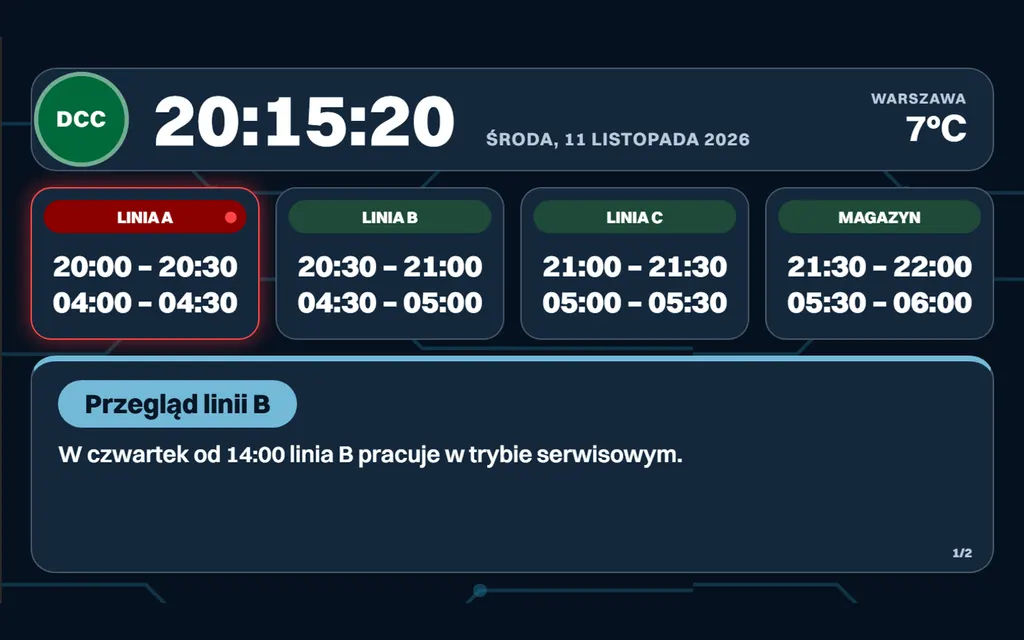
The server holds the whole configuration: devices, dashboards, announcements and schedules. The Pis only run Chromium with a screen URL and hear about changes over WebSocket. The server is also the source of time — every screen syncs its clock with it and converts it to its own time zone, so sites in different zones show the right hour whatever the device is set to. Power BI reports are opened by the server itself in a signed-in session and delivered to the screens as captures, and a single dashboard can rotate several views in an order and with timings set in the console.
Outcome
The system runs internally, so I do not show its code or data. The screen views and the simulation above are recreated on sample data and run entirely in your browser. Adding a device is quick: the package ships Python and sh scripts that set up everything a kiosk needs on a clean Raspberry Pi.
What I built
- Two Angular apps (admin and display) and a NestJS backend with REST and WebSocket
- Server-provided time with network-delay compensation, a time zone set per screen
- Power BI reports rendered on the server in a signed-in session and sent to screens as images
- Rotation of several views within one dashboard, with a display time per slide
- Announcements with priorities and scheduling, posters and media, breaks attached to projects
- Heartbeats, device status, remote kiosk refresh and an on-demand screenshot from the device
- Setup scripts (Python and sh): on a clean Raspberry Pi they configure the system, Full HD mode and kiosk autostart
Screenshots